Shift Handoff
Step-by-step guide for Hospitality users using Shift Handoff.
Industry: Hospitality — this app appears only on tenants provisioned for that vertical.
Shift handoff notes for FOH and BOH teams.
Workspace fields
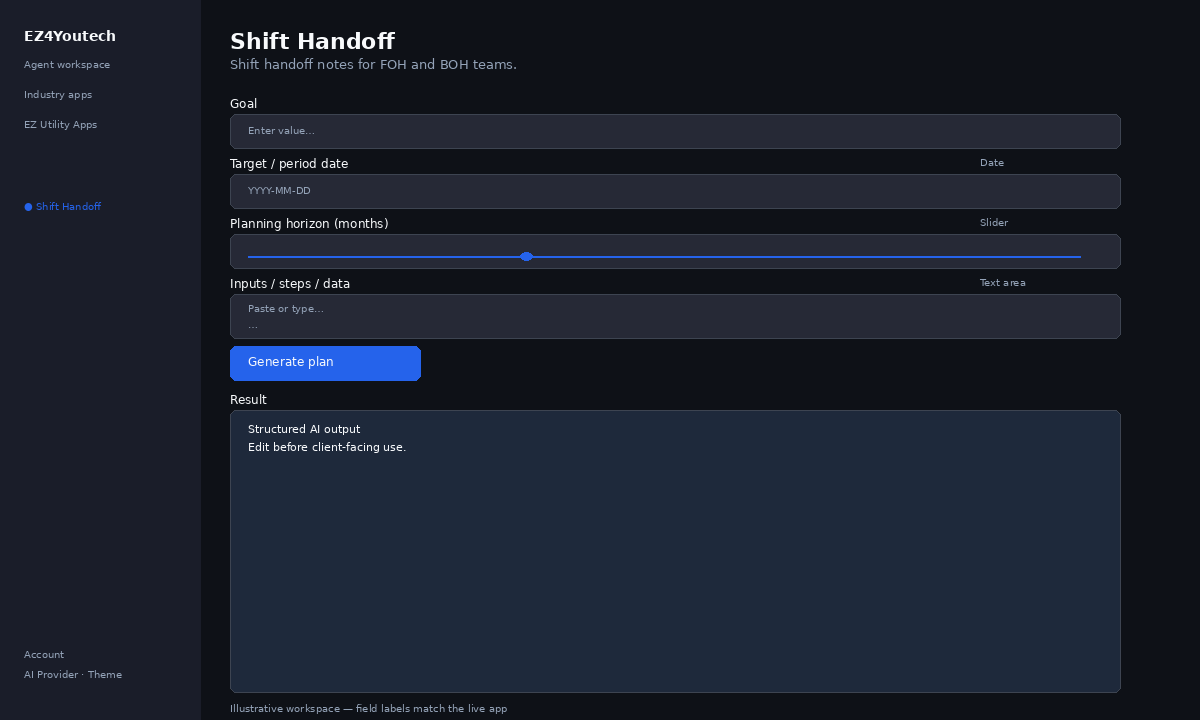
These labels match the live EZ4Youtech workspace (sidebar provider + main panel):
- Goal (required) — text field in the workspace
- Target / period date (optional) — date field in the workspace
- Planning horizon (months) (optional) — slider field in the workspace
- Inputs / steps / data (required) — textarea field in the workspace
Primary action button: Generate plan
Workspace overview
Before you start
- Log in as a user on your company tenant (admins set up BYOK separately).
- Confirm your tenant admin has saved at least one AI provider key (OpenAI, Together, or Anyscale).
- Verify your plan includes Standard apps — disabled apps show the plan required to unlock them.
Step-by-step
- Open the app — In the workspace sidebar, select Shift Handoff under Industry apps.
- Choose your AI provider — In the sidebar, pick the BYOK provider your admin configured (OpenAI, Together, or Anyscale).
- Fill Goal — Enter Goal (required) in the workspace form.
- Fill Target / period date — Enter Target / period date (optional) in the workspace form.
- Fill Planning horizon (months) — Enter Planning horizon (months) (optional) in the workspace form.
- Fill Inputs / steps / data — Enter Inputs / steps / data (required) in the workspace form.
- Run the app — Click Generate plan. Output appears in the Result panel with download option.
- Review before client use — Confirm facts, dates, and compliance language. Do not paste full SSN or card numbers.
Example inputs
Paste similar data in the workspace — use only data you are allowed to process. Field names match the live product.
Goal
Draft a 90-day cash-flow outlook for the practiceThe business outcome you need (forecast, timeline, argument outline).
Target / period date
2026-05-31End of the month or quarter you are reporting on.
Planning horizon (months)
6Planning horizon in months.
Inputs / steps / data
Avg revenue $42k/mo · Payroll $18k · Rent $6k · One-time equipment $12k in AugustFacts, constraints, and sequence — the AI will not invent dollar amounts you omit.
Try these scenarios
Adapt these prompts to your client — do not paste payment card numbers, SSNs, or full IDs.
- Build month-end close checklist from AR and AP notes provided.
- Outline 90-day cash-flow steps without inventing revenue numbers.
- Case timeline draft from intake notes and hearing dates only.
Expected result
Shape of the AI output in the Result panel — review before client use.
Example output (plan)
- Steps sequenced from your goal and notes
- Assumptions labeled; no invented revenue figures
- Checklist your team can execute or paste into a doc
Tips
- Keep prompts specific: include dates, names, and constraints for better drafts.
- Do not paste full payment card or government ID numbers — use business-appropriate excerpts only.
- If the app is locked, ask your admin to upgrade the tenant plan or confirm BYOK setup.