Drug Interaction Checker
Step-by-step guide for Pharmacy users using Drug Interaction Checker.
Industry: Pharmacy — this app appears only on tenants provisioned for that vertical.
Flag potential interaction concerns.
Workspace fields
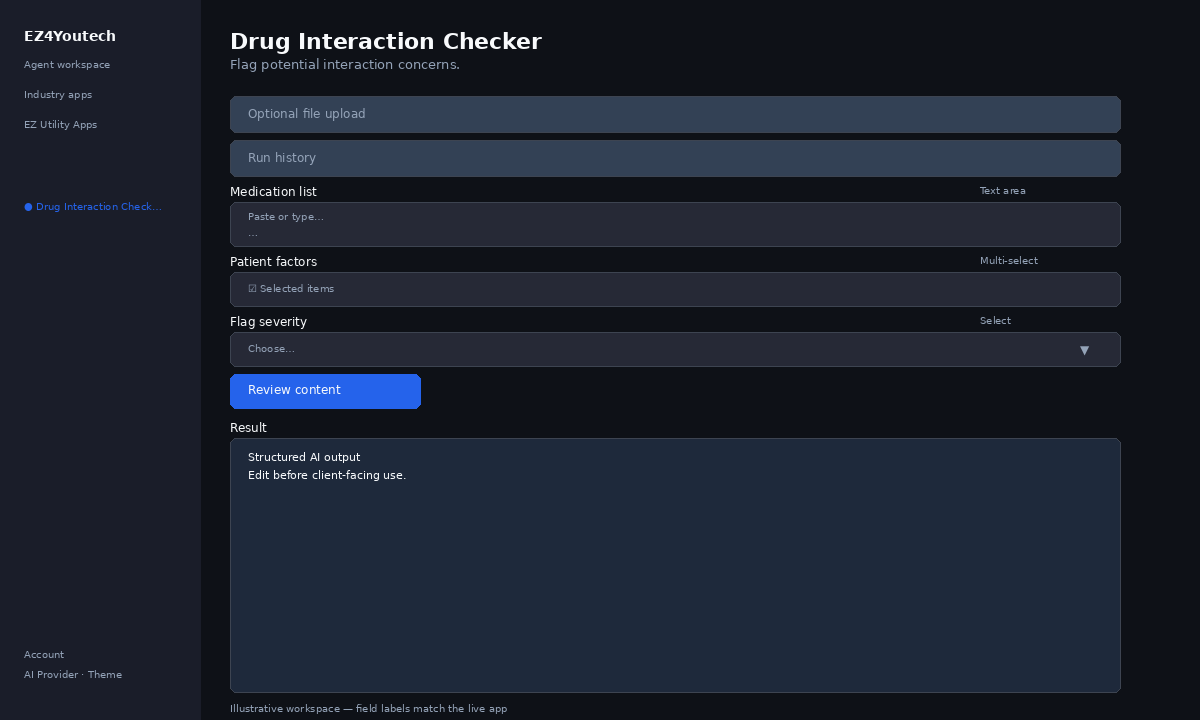
These labels match the live EZ4Youtech workspace (sidebar provider + main panel):
- Medication list (required) — textarea field in the workspace
- Patient factors (optional) — multiselect field in the workspace
- Flag severity (optional) — select field in the workspace
Primary action button: Review content
Workspace overview
Before you start
- Log in as a user on your company tenant (admins set up BYOK separately).
- Confirm your tenant admin has saved at least one AI provider key (OpenAI, Together, or Anyscale).
- Verify your plan includes Elite apps — disabled apps show the plan required to unlock them.
Step-by-step
- Open the app — In the workspace sidebar, select Drug Interaction Checker under Industry apps.
- Choose your AI provider — In the sidebar, pick the BYOK provider your admin configured (OpenAI, Together, or Anyscale).
- Optional file upload — Expand Optional file upload if you have a PDF or DOCX. Otherwise paste directly in Workspace.
- Use run history — Under Run history, pick a prior run and click View run to restore inputs and output.
- Complete additional inputs — In Workspace, fill Patient factors, Flag severity before you run.
- Enter Medication list — In Workspace, add content to Medication list (paste text or load from upload).
- Run the app — Click Review content. Review the Result section and download if needed.
- Review before client use — Confirm facts, dates, and compliance language. Do not paste full SSN or card numbers.
Example inputs
Paste similar data in the workspace — use only data you are allowed to process. Field names match the live product.
Medication list
[Drug Interaction Checker · pharmacy] Limited-time offer: lowest rate guaranteed! Text STOP to opt out. Ask the AI to flag risky claims, missing disclosures, and tone issues.Paste the email, ad, script, or policy excerpt you need reviewed.
Patient factors
TCPA-friendly; no guaranteed savings; include disclaimer where requiredJurisdiction, carrier rules, or internal compliance checklist (optional).
Flag severity
Moderate and aboveMinimum interaction severity to flag.
Try these scenarios
Adapt these prompts to your client — do not paste payment card numbers, SSNs, or full IDs.
- Review SMS promo for TCPA opt-out and truth-in-advertising.
- Flag HIPAA-style risks in patient-facing appointment reminder.
- Check listing description for fair-housing language issues.
Expected result
Shape of the AI output in the Result panel — review before client use.
Example output (review)
- Flags: superlatives, missing opt-out, risky guarantees
- Suggested edits in plain language
- Severity: informational vs must-fix before send
Tips
- Keep prompts specific: include dates, names, and constraints for better drafts.
- Do not paste full payment card or government ID numbers — use business-appropriate excerpts only.
- If the app is locked, ask your admin to upgrade the tenant plan or confirm BYOK setup.