Listing Generator
Step-by-step guide for Real Estate users using Listing Generator.
Industry: Real Estate — this app appears only on tenants provisioned for that vertical.
Create property listings from key details.
Workspace fields
These labels match the live EZ4Youtech workspace (sidebar provider + main panel):
- Property address (required) — text field in the workspace
- Beds / baths / sqft (required) — text field in the workspace
- List price (required) — number field in the workspace
- Upgrades & neighborhood (required) — textarea field in the workspace
- Buyer profile (optional) — select field in the workspace
Primary action button: Generate copy
Workspace overview
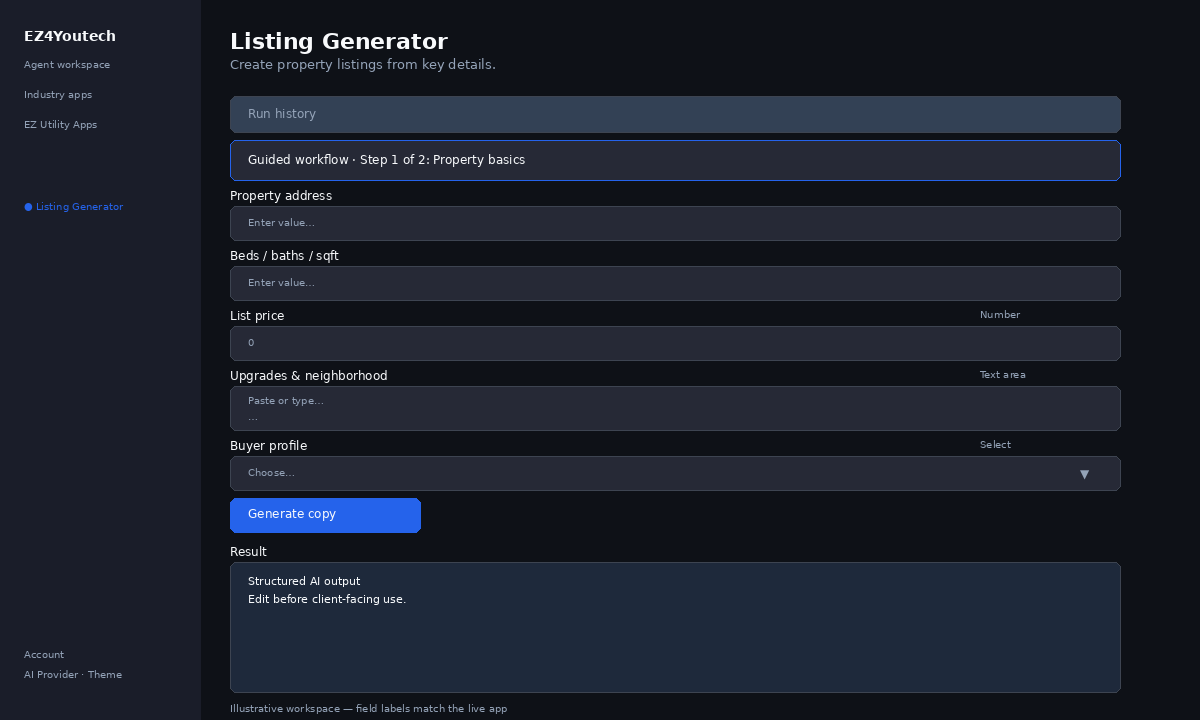
Before you start
- Log in as a user on your company tenant (admins set up BYOK separately).
- Confirm your tenant admin has saved at least one AI provider key (OpenAI, Together, or Anyscale).
- Verify your plan includes Basic apps — disabled apps show the plan required to unlock them.
Step-by-step
- Open the app — In the workspace sidebar, select Listing Generator under Industry apps.
- Choose your AI provider — In the sidebar, pick the BYOK provider your admin configured (OpenAI, Together, or Anyscale).
- Use run history — Under Run history, select a past run and click View run to restore the output.
- Guided step 1: Property basics — Complete Property address, Beds / baths / sqft in Guided workflow (step 1 of 2), then click Next →.
- Guided step 2: Pricing & marketing — Complete List price, Upgrades & neighborhood, Buyer profile in Guided workflow (step 2 of 2), then click Next →.
- Run the app — Click Generate copy. Output appears in the Result panel with download option.
- Review before client use — Confirm facts, dates, and compliance language. Do not paste full SSN or card numbers.
Example inputs
Paste similar data in the workspace — use only data you are allowed to process. Field names match the live product.
Property address
123 Oak Street, Austin TX 78701Street address as it should appear on the listing.
Beds / baths / sqft
3 bed · 2 bath · 1,850 sqftBed/bath count and living area from your MLS sheet.
List price
$449,000List price you are authorized to publish.
Upgrades & neighborhood
2022 kitchen remodel, walkable to schools, low-traffic cul-de-sacUpgrades, HOA notes, and neighborhood selling points.
Buyer profile
Local buyers on Instagram and your email listWho will read the copy (buyers, patients, fleet managers, etc.).
Try these scenarios
Adapt these prompts to your client — do not paste payment card numbers, SSNs, or full IDs.
- MLS-ready residential listing from structured address and specs.
- Short dealer lot listing — verify price and mileage before publish.
Expected result
Shape of the AI output in the Result panel — review before client use.
Example output (marketing copy)
- Headline and 2–3 short post variants for your audience
- Bullets using only key details you entered
- Disclaimer line when promos or health claims apply
Tips
- Keep prompts specific: include dates, names, and constraints for better drafts.
- Do not paste full payment card or government ID numbers — use business-appropriate excerpts only.
- If the app is locked, ask your admin to upgrade the tenant plan or confirm BYOK setup.