AI Customer Support Agent
Step-by-step guide for users using AI Customer Support Agent on EZ4Youtech.
Draft support replies and triage customer messages.
Workspace fields
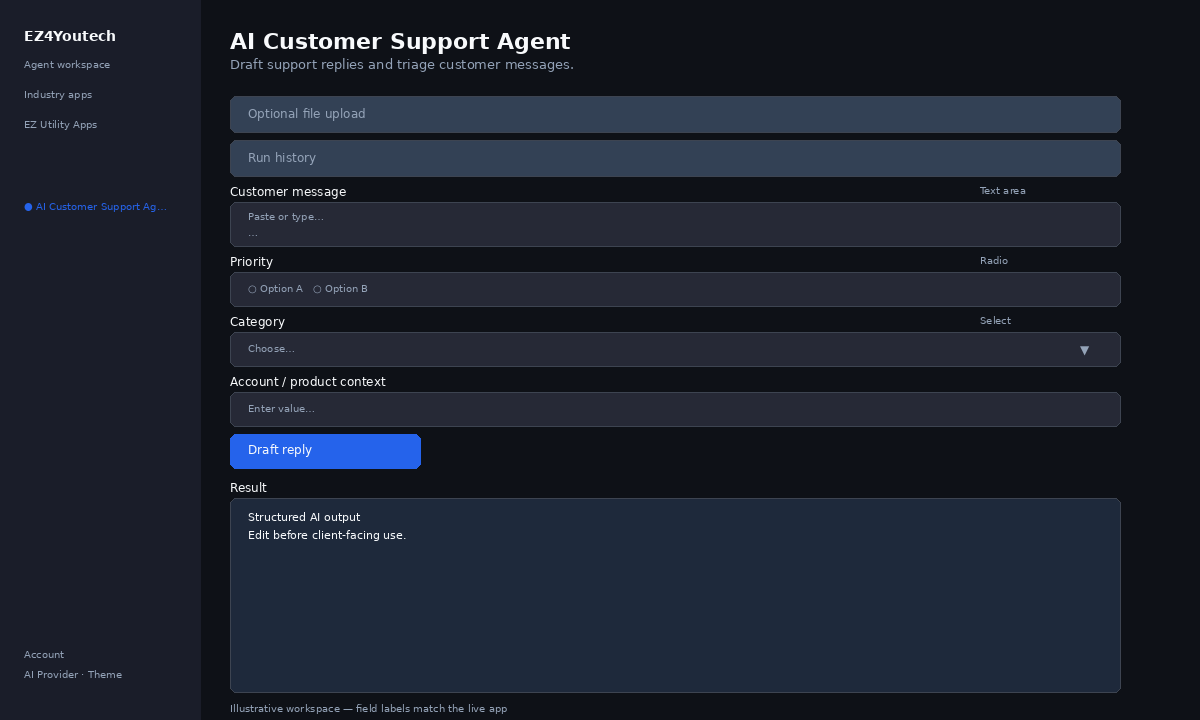
These labels match the live EZ4Youtech workspace (sidebar provider + main panel):
- Customer message (required) — textarea field in the workspace
- Priority (required) — radio field in the workspace
- Category (optional) — select field in the workspace
- Account / product context (optional) — text field in the workspace
Primary action button: Draft reply
Workspace overview
Before you start
- Log in as a user on your company tenant (admins set up BYOK separately).
- Confirm your tenant admin has saved at least one AI provider key (OpenAI, Together, or Anyscale).
- Verify your plan includes Standard apps — disabled apps show the plan required to unlock them.
Step-by-step
- Open the app — In the workspace sidebar, select AI Customer Support Agent under EZ Utility Apps.
- Choose your AI provider — In the sidebar, pick the BYOK provider your admin configured (OpenAI, Together, or Anyscale).
- Optional file upload — Expand Optional file upload if you have a PDF or DOCX. Otherwise paste directly in Workspace.
- Use run history — Under Run history, pick a prior run and click View run to restore inputs and output.
- Complete additional inputs — In Workspace, fill Priority, Category, Account / product context before you run.
- Enter Customer message — In Workspace, add content to Customer message (paste text or load from upload).
- Run the app — Click Draft reply. Review the Result section and download if needed.
- Review before client use — Confirm facts, dates, and compliance language. Do not paste full SSN or card numbers.
Example inputs
Paste similar data in the workspace — use only data you are allowed to process. Field names match the live product.
Customer message
I was charged twice on 5/01 for the same subscription. Please refund the duplicate.Paste the inbound ticket, chat, or email verbatim (redact card numbers).
Priority
MediumTicket priority for routing.
Category
BillingSupport category for reporting.
Account / product context
Plan: Pro monthly · SLA: 24h response · No prior tickets this quarterAccount, product, SLA, or approved FAQ snippets the reply should respect.
Try these scenarios
Adapt these prompts to your client — do not paste payment card numbers, SSNs, or full IDs.
- Draft reply for duplicate billing charge with refund steps.
- User cannot log in after password reset — troubleshooting tone.
- Escalation template when SLA is next-day and issue is P1.
Expected result
Shape of the AI output in the Result panel — review before client use.
Example output (support)
- Intent: billing · access · product how-to
- Draft reply matching your SLA and context
- Escalation note if sensitive or high-risk
Tips
- Keep prompts specific: include dates, names, and constraints for better drafts.
- Do not paste full payment card or government ID numbers — use business-appropriate excerpts only.
- If the app is locked, ask your admin to upgrade the tenant plan or confirm BYOK setup.