AI Blog Generator
Step-by-step guide for users using AI Blog Generator on EZ4Youtech.
Generate copy-paste-ready marketing blogs with optional charts, images, and illustrations.
Workspace fields
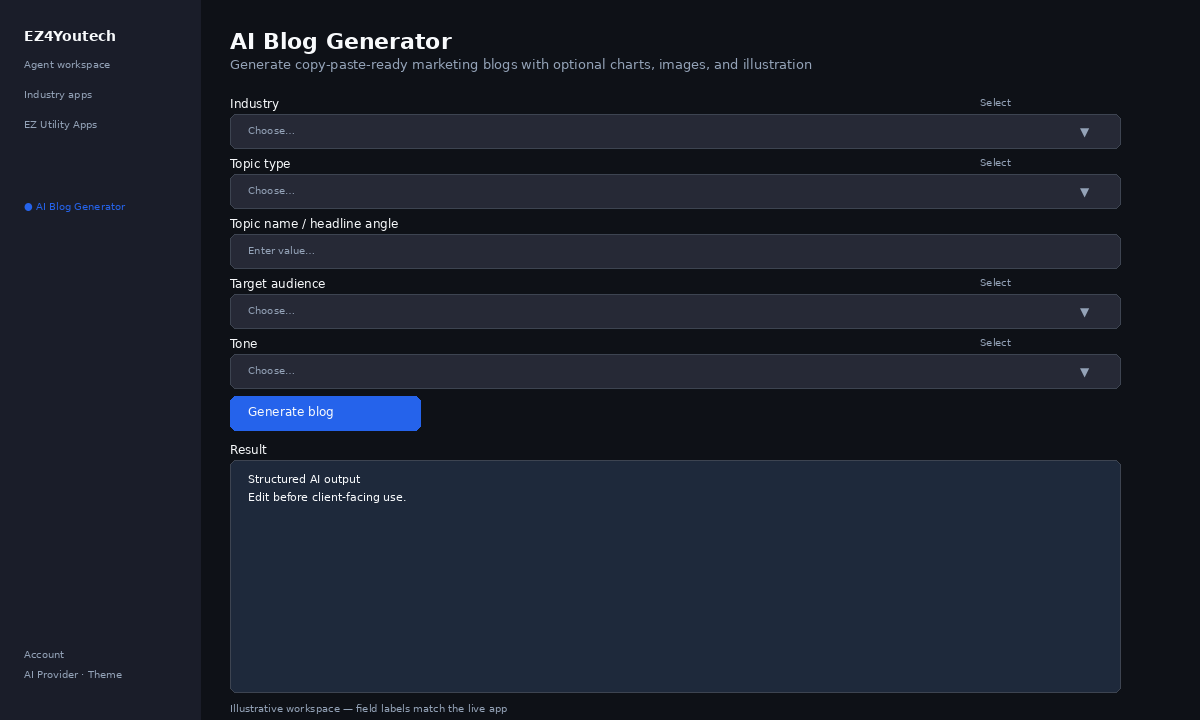
These labels match the live EZ4Youtech workspace (sidebar provider + main panel):
- Industry (required) — select field in the workspace
- Topic type (required) — select field in the workspace
- Topic name / headline angle (required) — text field in the workspace
- Target audience (optional) — select field in the workspace
- Tone (optional) — select field in the workspace
- Target length (words) (optional) — slider field in the workspace
- Include comparison charts / bar visuals (optional) — checkbox field in the workspace
- Include data graphs / trend visuals (optional) — checkbox field in the workspace
- Include photo placeholders (hero & inline) (optional) — checkbox field in the workspace
- Include diagram / illustration placeholders (optional) — checkbox field in the workspace
- Key points to cover (required) — textarea field in the workspace
- SEO / social keywords (optional) — text field in the workspace
- Call to action (optional) — text field in the workspace
Primary action button: Generate blog
Workspace overview
Before you start
- Log in as a user on your company tenant (admins set up BYOK separately).
- Confirm your tenant admin has saved at least one AI provider key (OpenAI, Together, or Anyscale).
- Verify your plan includes Elite apps — disabled apps show the plan required to unlock them.
Step-by-step
- Open the app — In the workspace sidebar, select AI Blog Generator under EZ Utility Apps.
- Choose your AI provider — In the sidebar, pick the BYOK provider your admin configured (OpenAI, Together, or Anyscale).
- Fill Industry — Enter Industry (required) in the workspace form.
- Fill Topic type — Enter Topic type (required) in the workspace form.
- Fill Topic name / headline angle — Enter Topic name / headline angle (required) in the workspace form.
- Fill Target audience — Enter Target audience (optional) in the workspace form.
- Fill Tone — Enter Tone (optional) in the workspace form.
- Fill Target length (words) — Enter Target length (words) (optional) in the workspace form.
- Fill Include comparison charts / bar visuals — Enter Include comparison charts / bar visuals (optional) in the workspace form.
- Fill Include data graphs / trend visuals — Enter Include data graphs / trend visuals (optional) in the workspace form.
- Fill Include photo placeholders (hero & inline) — Enter Include photo placeholders (hero & inline) (optional) in the workspace form.
- Fill Include diagram / illustration placeholders — Enter Include diagram / illustration placeholders (optional) in the workspace form.
- Fill Key points to cover — Enter Key points to cover (required) in the workspace form.
- Fill SEO / social keywords — Enter SEO / social keywords (optional) in the workspace form.
- Fill Call to action — Enter Call to action (optional) in the workspace form.
- Run the app — Click Generate blog. Output appears in the Result panel with download option.
- Review before client use — Confirm facts, dates, and compliance language. Do not paste full SSN or card numbers.
Example inputs
Paste similar data in the workspace — use only data you are allowed to process. Field names match the live product.
Industry
General businessTopic type
Thought leadershipTopic name / headline angle
e.g. Why BYOK matters for SMB teams in 2026Target audience
Business owners & operatorsTone
professionalMatch your brand: professional, friendly, formal, or concise.
Target length (words)
1200Include comparison charts / bar visuals
yesInclude data graphs / trend visuals
yesInclude photo placeholders (hero & inline)
yesInclude diagram / illustration placeholders
yesKey points to cover
Thank her for the meeting
Quote valid 30 days
Offer 15-min review call Thu or Fri
Bullet the facts the draft must include; one point per line.
SEO / social keywords
BYOK, tenant isolation, SMB AI (comma-separated)Call to action
e.g. Book a demo, View pricing, Read security docsTry these scenarios
Adapt these prompts to your client — do not paste payment card numbers, SSNs, or full IDs.
- LinkedIn article on BYOK cost control for multi-location SMBs.
- Website blog: plan tiers vs consumer chat — include stat placeholders.
- Industry spotlight post with chart placeholder for adoption curve.
Expected result
Shape of the AI output in the Result panel — review before client use.
Example output
- Structured text in the Result panel based on your inputs
- Download or copy for review before client-facing use
Tips
- Keep prompts specific: include dates, names, and constraints for better drafts.
- Do not paste full payment card or government ID numbers — use business-appropriate excerpts only.
- If the app is locked, ask your admin to upgrade the tenant plan or confirm BYOK setup.