


The EZ4YouTech.com platform

One secure company workspace per client. Connect your AI provider account means you connect your own paid AI provider account; we route requests and do not mark up usage. How it works · Security · Pricing

Technical overview for IT and security reviewers

For business owners

Start on Home, Pricing, or Contact

This page is the technical back door for IT and security reviewers. If you want a plain-language overview of what apps you get, pilot pricing, and a live demo, start on Home, Pricing, or book a 30-minute demo.

How the platform works

Three roles: one isolated company workspace per business. Everyday common utility tools plus one industry pack; depth grows by plan tier. Browse apps by industry.

Platform operator

  • Creates client workspaces from the operations console
  • Sets industry vertical and plan (Starter / Standard / Elite / Enterprise)
  • Controls which catalog apps are Live vs coming soon
  • Provisions company admins and team sign-ins

Client admin (setup)

  • One-time AI account setup: connect supported providers under your AI provider account (Bring Your Own Subscription: your API key, your provider bill), including OpenAI, Together, Groq, xAI (Grok), and others; full list in admin setup
  • Encrypted credentials stored per company workspace; never logged
  • No day-to-day workspace or industry apps on this login

Team members (daily use)

  • Run structured AI apps: forms and tuned prompts, not open chat
  • Plan tier controls user count and which apps unlock
  • Upload, draft, summarize, and extract inside company workspace boundaries

Security at a glance

Built for client-facing and regulated work. We describe an enterprise-ready architecture. We do not claim SOC 2, ISO 27001, or HIPAA unless agreed in a signed contract.

  • your AI provider account (Bring Your Own Subscription): your API keys, encrypted per company; never logged; billed by your provider
  • Tenant isolation: tenant_id on every JWT-backed request and storage path
  • Role separation: admins configure keys; users run apps without handling secrets
  • No data resale: subscription revenue only; prompts not sold for ads or model training

Core security controls

How we protect tenant data and credentials in the live application.

Authentication & access

  • JWT with tenant_id, plan, and role on every API call
  • bcrypt password hashing; login rate limiting per IP
  • RBAC: platform operator, partner, company admin, user
  • Plan gating: app catalog and agent seats enforced server-side

provider account & data handling

  • Fernet-encrypted provider keys in MongoDB Atlas
  • Keys decrypted only for outbound provider requests
  • Uploads and run history under tenant_id/ storage paths
  • Production security headers (HSTS, X-Frame-Options, Referrer-Policy)

Deeper diagrams: Architecture & security guide · Security FAQ

Technology stack & operations

For IT and security reviewers: USA production posture (May 2026).

  • Azure production stack: Container Apps + Key Vault + Blob Storage
  • MongoDB Atlas: tenants, users, usage, and encrypted subscription credentials
  • provider account routing: tenant-owned keys to supported providers (try-order when multiple are configured)
  • Tenant isolation: enforced by tenant_id across API and storage paths

Production stack

LayerTechnologyRole
EdgeHTTPS, CDNTLS for marketing site and platform hostname
ApplicationFastAPI + Next.jsREST API and agent/admin workspace UI
ComputeAzure Container AppsManaged runtime, tagged releases
SecretsAzure Key VaultJWT key, encryption key, Mongo URI, not in git
DatabaseMongoDB Atlas (M10)Tenants, users, encrypted subscription credentials, usage
StorageAzure BlobTenant-scoped documents and artifacts
AIOpenAI, Together, Groq, xAI (Grok), DeepSeek, Mistral, Fireworks, OpenRouter, Azure OpenAICustomer keys; billed on your provider account

Security & data protection

AreaPractice
Data in transitTLS 1.2+ end-to-end
Secrets at restFernet encryption for AI subscription credentials
Tenant isolationAPI checks + tenant_id/ blob paths
LoggingNo keys, passwords, or raw prompts in app logs
OpsAzure Monitor; Atlas backups; blob soft-delete

Your responsibilities

  • Protect admin credentials and rotate AI subscription credentials per your policy
  • Set training / opt-out in your AI provider console
  • Human-review client-facing outputs in regulated industries

Supported AI providers

Connect the AI services you already use. You pay providers directly; EZ4YouTech.com does not markup tokens.

Your company admin configures credentials and try-order in the Secure AI Platform setup tab (comparison table with illustrative list prices). Router-ready providers:

  • OpenAI, Together AI, Groq, Fireworks AI, DeepSeek, Mistral AI
  • xAI (Grok): different vendor from Groq (groq.com)
  • OpenRouter, Azure OpenAI

Anthropic, Google Gemini, and AWS Bedrock appear in the setup comparison; native API routing ships in a later release. Legacy Anyscale keys are not offered for new setups.

Platform tour

Workspace, routing, credentials, and team controls.

Open live platform

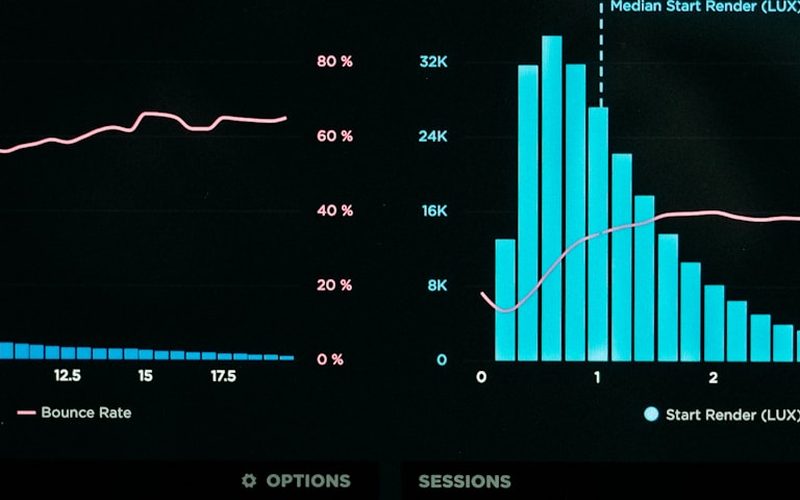
EZ4YouTech.com platform dashboard showing workspaces, AI routing, and team analytics

Workspace

Catalog apps by plan and industry

AI router

Route to your connected AI providers

Credentials

Encrypted keys: never logged

Team & plans

Roles, users, and access

Ready to see it on your stack?

Start with a pilot: connect your AI accounts, run one workflow, then scale users and plan tier.

Positioning and cost comparison, Home · FAQ